Hi everyone,
I am developing NextJS Application with Directus database. I want to connect my Cursor with Directus MCP following this guide: Mcp | Directus Docs
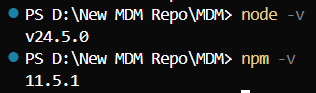
However, the connection keeps in red status “No tools or prompts”. I have checked my node ver is up to date also.
Using the same structure as the guide for adding the MCP server but still hit this error. The URL and API key is the same as my NextJS env.local. so I do not think it is the problem.
I am on Directus Cloud anyway. Appreciate with any help  Thank you
Please share the content of your mcp.json and the MCP logs output. And just as sidenote, when testing I just realized, that Auto mode in Cursor can't use at least the directus mcp tools anymore. I don't get any error message tho, and the MCP server is showing up running in the settings, so I guess that's not what you are experiencing. It does work tho on gpt-4.1, even as free user.
– NikHi Nik, thank you for your response! My content is: { "mcpServers": { "directus": { "command": "npx", "args": ["@directus/content-mcp@latest"], "env": { "DIRECTUS_URL": "MY PROJECT URL", "DIRECTUS_ACCESS_TOKEN": "MY TOKEN" } For the logs output, I also try to run terminal but it returns: > nextn@0.1.0 mcp > directus-mcp-server No prompts collection configured, skipping prompt fetching
– Zura1555